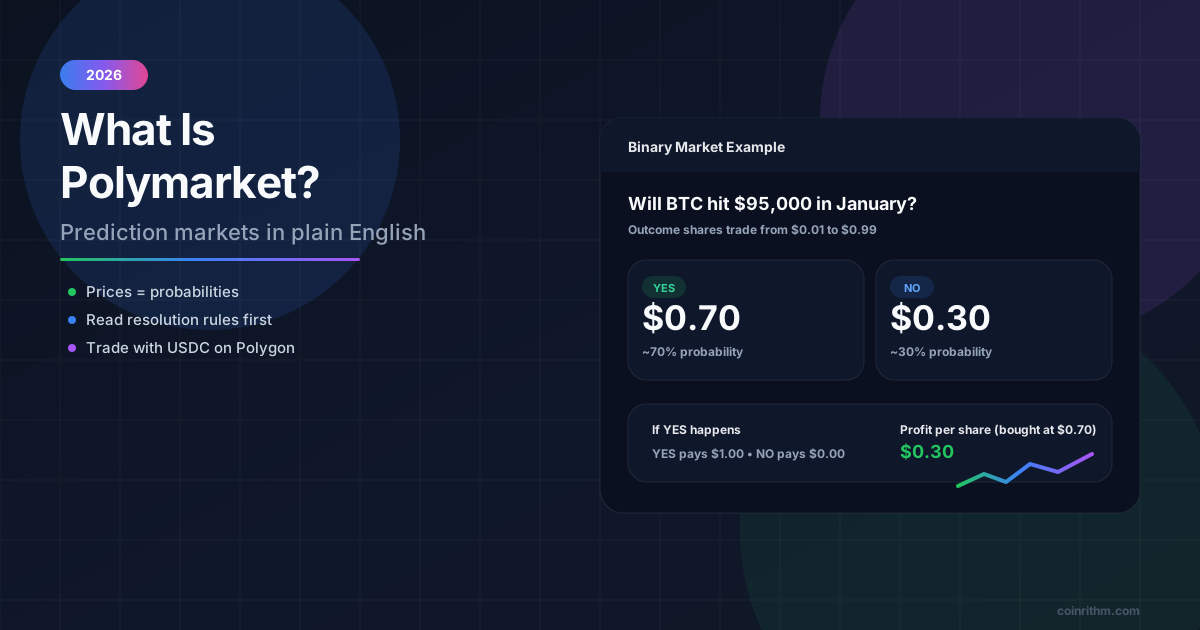
Polymarket is a prediction market where you buy Yes or No shares on real-world events. Each share costs between 1¢ and 99¢ and pays $1 if your side wins. This guide shows how to use Polymarket as it works in September 2026, after a year of changes to fees, the account balance token, and the separate US app.
How to use Polymarket, in short (updated September 2026):
- Check access. polymarket.com blocks trading from the US and more than 35 other countries, including the UK, France, Germany, Italy, Brazil and Venezuela. US residents use the separate Polymarket US app instead.
- Sign up with email, Google, or a crypto wallet such as MetaMask, Rabby or Phantom.
- Deposit crypto from any of 15 supported networks, or, where offered, buy crypto with a card through MoonPay. Your balance is held as pUSD, a dollar token backed 1:1 by USDC.
- Trade: open a market, read its resolution rules, and buy Yes or No. Orders that fill immediately pay a small fee that depends on the category; limit orders that rest on the book pay none.
- Cash out: sell before the market resolves or claim $1 per winning share afterward, then use Portfolio > Withdraw. Polymarket charges no withdrawal fee.
The sections below explain each step in order: how to sign up, how to deposit, how to trade or bet on a market, and how to withdraw your money. You must be 18 or older on both polymarket.com and Polymarket US. If you want the background first, read What Is Polymarket?. If access is your main question, start with Polymarket Countries and Availability.
What Changed on Polymarket in 2026
If you last used Polymarket in 2025, these are the changes that matter for a beginner. The dates come from Polymarket's own help center, documentation and developer changelog.
| Date | Change | What it means for you |
|---|---|---|
| March 30, 2026 | Taker fees extended to most market categories | Orders that fill immediately now pay a small fee. Geopolitics markets stay fee-free, and makers never pay. |
| April 28, 2026 | Exchange upgrade with new contracts and a new balance token, pUSD | Your balance shows as pUSD, backed 1:1 by USDC. Open orders were cleared at the switch. |
| May 4, 2026 | New accounts get a "Deposit Wallet" smart wallet | Nothing to do. Polymarket relays wallet transactions, so you do not need POL for gas. |
| May 28, 2026 | Taker Rebate Program launched | Active traders can earn part of their fees back through tiers from Bronze to Obsidian. |
| July 10, 2026 | Sports taker fee rate raised from 0.03 to 0.05 | Market orders on sports cost more than they did in the spring. |
| September 17, 2026 | New Polymarket US fee schedule | On the US app, the taker fee now peaks at $1.74 per 100 contracts at 50¢. |
Before You Start: Check That Polymarket Works Where You Live
There are two Polymarkets:
- polymarket.com is the international, crypto-based site.
- Polymarket US is a separate, CFTC-regulated exchange for US residents, with its own accounts, apps, and support team.
polymarket.com is not open everywhere. Polymarket's geographic restrictions page (updated August 2026) lists 39 restricted countries, among them the United States, United Kingdom, France, Germany, Italy, the Netherlands, Belgium, Poland, Ireland, Australia, Japan, Singapore, Thailand, Taiwan, Russia, Brazil and Venezuela. It also restricts Ontario, Quebec, British Columbia and Alberta in Canada. Some countries are "close-only": you can close positions you already hold but cannot open new ones.
Two rules matter more than any list:
- No VPNs. Polymarket's Terms of Use prohibit using a VPN to get around restrictions, and accounts that do can be placed in close-only mode.
- Access is not the same as legality. A country missing from the list is not a legal green light, so check your local rules too.
Polymarket's own lists do not always match: its Terms of Use also name Hungary and Slovenia, and its developer docs add South Korea. Check again right before you deposit. CoinRithm's availability overview and Polymarket Countries and Availability keep the detail in one place.
If you live in the US, skip to If You Live in the US: How Polymarket US Works.
Step 1: Create Your Polymarket Account
On polymarket.com, click Sign Up and pick one of three options:
| Sign-up option | What happens |
|---|---|
| Choose Continue with Google and connect your Google account. | |
| Enter your email address, then the 6-digit code Polymarket sends you. Never share that code: anyone who has it can access your account and funds. | |
| Crypto wallet | Connect MetaMask, Rabby, Phantom or a similar wallet, sign one message to connect it, and sign a second message to Enable Trading. |
You do not need to create a crypto wallet first. Polymarket sets up a smart wallet for your account behind the scenes (accounts created since May 4, 2026 use a "Deposit Wallet"), and it describes itself as non-custodial: it never takes possession of your funds. Polymarket's sign-up guide lists no identity check for polymarket.com, but its Terms of Use require you to be at least 18.
Basic security still applies: never share your seed phrase or login code, not even with someone who says they work for Polymarket.
Step 2: Deposit Funds
Click Deposit and choose how to fund the account.
| Method | How it works | Costs and notes |
|---|---|---|
| Transfer crypto | Choose Transfer Crypto, pick the token and network, copy your deposit address, and send from your wallet. | No Polymarket fee. You pay the sending network's fee. |
| From an exchange (Coinbase, Binance and others) | Withdraw USDC or USDT from the exchange to your Polymarket deposit address, on a network both sides support. | The exchange may charge a withdrawal fee. The networks must match. |
| Card (where offered) | Buy crypto through MoonPay, the fiat on-ramp that Polymarket names in its fee documentation. | MoonPay charges its own fees and runs its own identity checks. Payment options vary by country. |
What to know before you send anything:
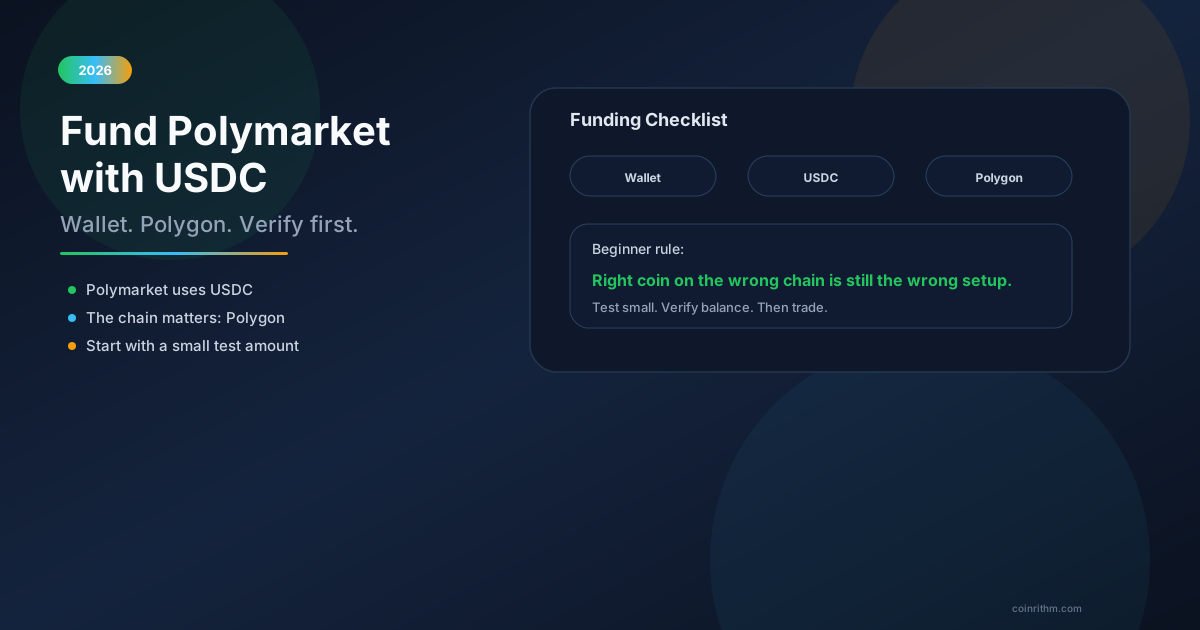
- You no longer have to bridge to Polygon yourself. Polymarket's live list on September 23, 2026 covered 15 networks, including Polygon, Ethereum, Base, Arbitrum, Optimism, BNB Smart Chain, Solana, Bitcoin and Tron, with tokens such as USDC, USDT, ETH, SOL and BTC. Deposits are converted automatically to pUSD on Polygon.
- Minimums are small but real. The same list showed a $2 minimum on most networks, with slightly higher minimums on Ethereum and Bitcoin. Polymarket's help center says a deposit below the minimum stays pending until your total reaches it.
- Use the Deposit address, not your profile address. Your profile address is a different Polygon wallet. Sending there, or sending an unsupported token, may need Polymarket's recovery tool and is not always recoverable.
- Test first. Send a small amount, confirm it arrives, then send the rest. Polymarket's help center suggests checking a block explorer if a deposit has not appeared after 10 minutes.
Polymarket itself charges no deposit fee. For every route in detail, read Polymarket Deposit Methods and Supported Chains or How to Fund Polymarket with USDC.
Step 3: Research and Choose a Market
The cleanest beginner workflow starts on CoinRithm Prediction Markets, not inside Polymarket. You can browse active markets by category, see probabilities, volume and liquidity, and read the rules before you commit money.
Useful CoinRithm pages for this step:
- The Polymarket hub for Polymarket's markets and live stats.
- The compare page to see the same event priced on Polymarket, Kalshi and other venues.
- The whale tracker to see fills of $1,000 or more, with the wallet behind each one where the venue publishes it.
- Topic hubs for elections, crypto and sports.
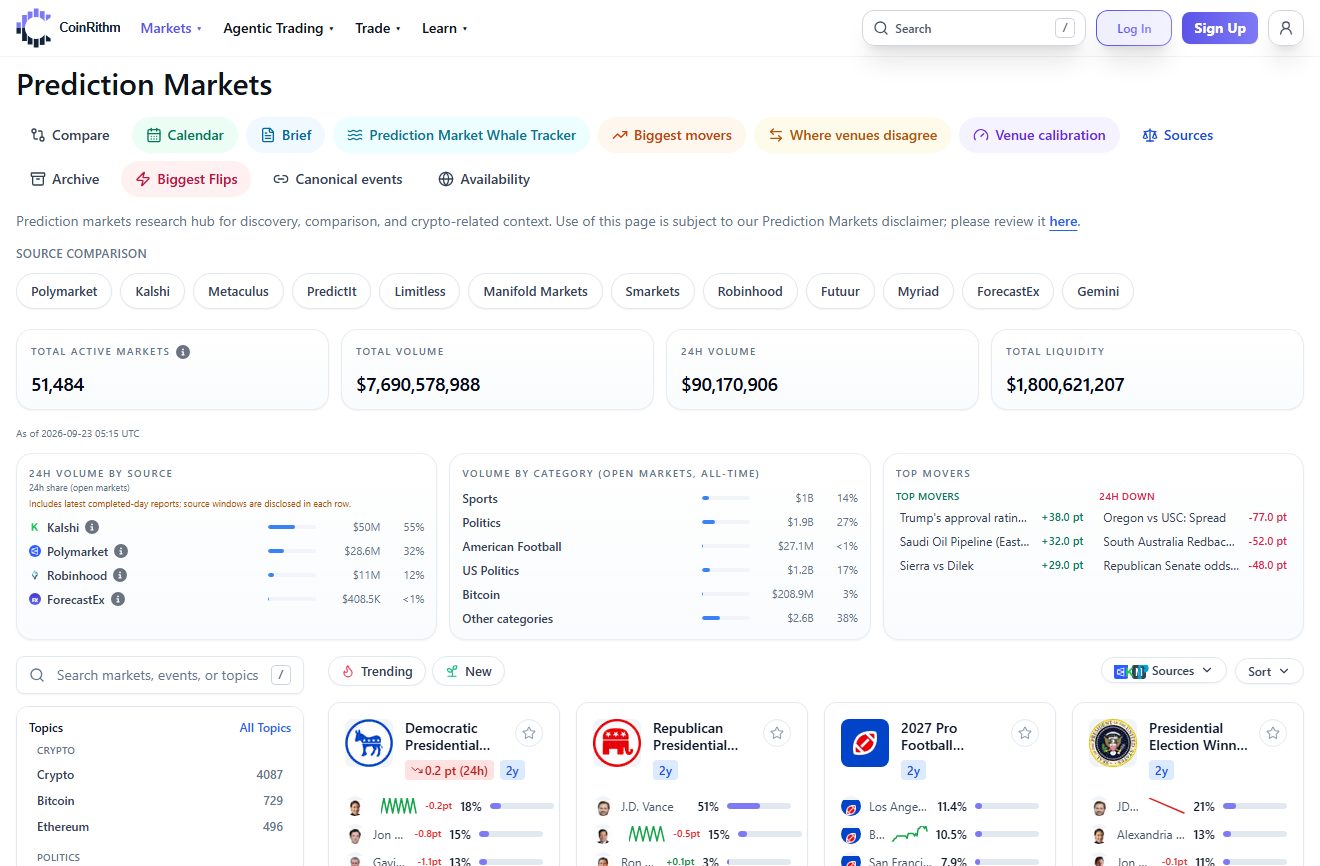
Use CoinRithm to narrow the market before you open a trade.
A good first market is:
- about a topic you understand and can follow
- clearly worded, with a specific end date and resolution source
- liquid, with a narrow gap between the best bid and the best ask
- not chosen because it is trending or "feels obvious"
Low-volume markets are where beginners overpay: a wide spread can cost more than any fee. Prediction Market Liquidity and Spreads explains how to read the order book.
Step 4: Read the Resolution Rules
This is the most important step. The title describes the question, but the rules decide how it resolves.
Do not trade before you read:
- the exact market question
- the end date and time zone
- the source used to decide the result
- any edge-case wording
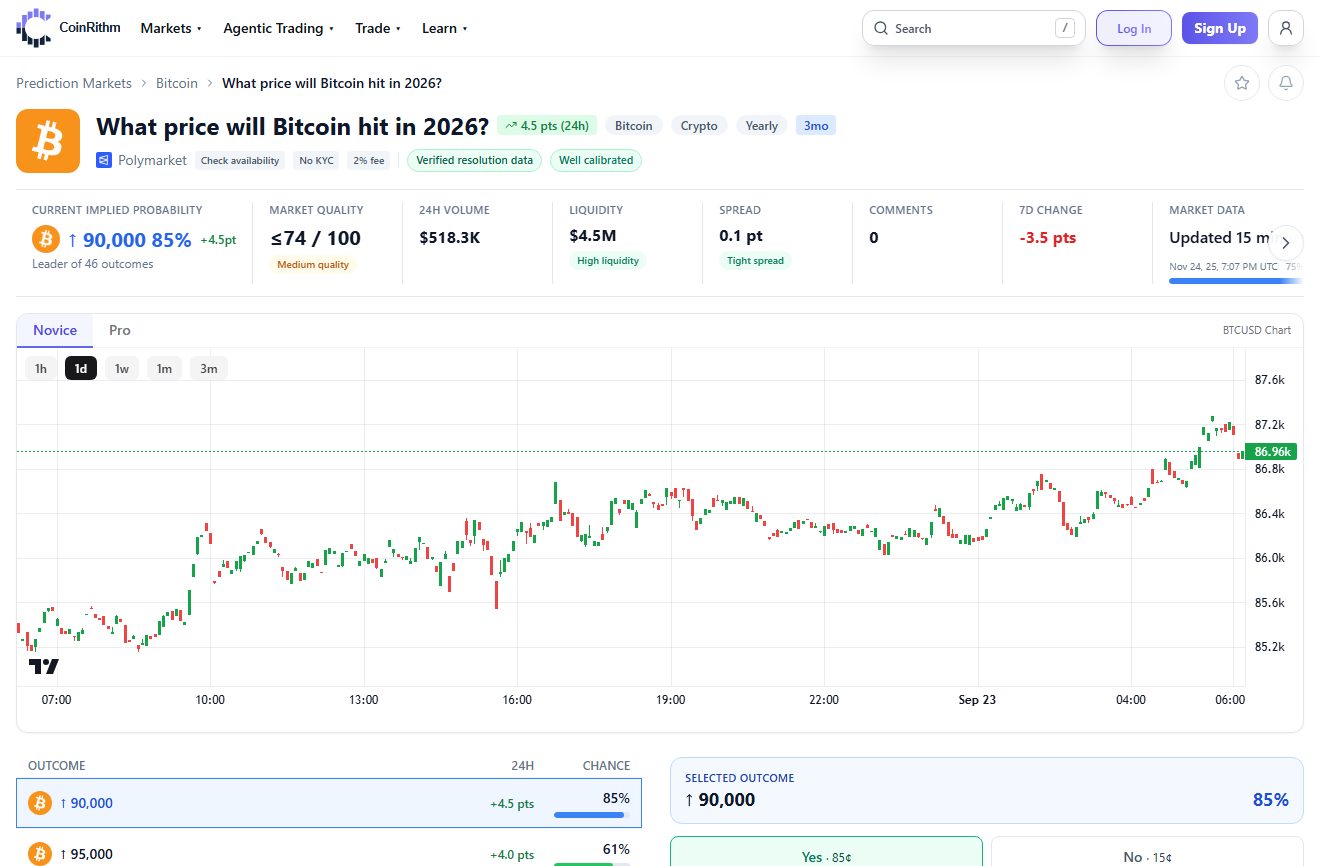
Read the resolution rules before you buy anything.
A market can look obvious and still resolve differently from what you expect, because the rules often define the outcome more narrowly than the headline. How Prediction Market Probabilities Work and How Prediction Markets Resolve go deeper.
Step 5: Place Your First Trade
- Open the market on Polymarket and choose Yes or No (or one outcome in a multi-outcome market).
- Choose a market order to buy now at the best available price, or a limit order to set your own price and wait for a seller.
- Enter the amount and check the number of shares, the average price, and the potential payout.
- Confirm the trade.
How prices and fees work. The percentage Polymarket displays is the midpoint between the best bid and the best ask (or the last trade if that gap is wider than 10¢), so a market order usually fills slightly above it. Orders that fill immediately are "taker" orders and pay a fee. Limit orders that rest on the book are "maker" orders and pay nothing.
Polymarket's fee formula is fee = shares × fee rate × price × (1 - price), charged in USDC:
| Category | Fee rate | Fee on 100 shares at 50¢ |
|---|---|---|
| Crypto | 0.07 | $1.75 |
| Sports, economics, culture, weather, other | 0.05 | $1.25 |
| Politics, finance, tech, mentions | 0.04 | $1.00 |
| Geopolitics and world events | 0 | $0.00 |
Source: Polymarket's fee documentation, September 2026. The fee is highest at 50¢ and shrinks toward 1¢ and 99¢.
Worked example (politics market, market order):
- Buy
100Yes shares at83¢=$83.00 - Taker fee = 100 × 0.04 × 0.83 × 0.17 =
$0.56 - Total cost =
$83.56 - If Yes wins, the shares pay
$100.00, a profit of$16.44 - If No wins, you lose the
$83.56
In the most-traded markets we checked on September 23, 2026, the minimum order was 5 shares. After you buy, your portfolio shows an Avg. price: the average you paid per share across all fills, before fees. An Avg. price of 83¢ means each share cost 83 cents and pays $1 if you are right.
Two more things to know. In sports markets, resting limit orders are cancelled when the game starts. And Combos let you bundle several sports picks into one trade that pays only if every leg wins.
Keep your first trade small. The goal is to learn the process, not to size aggressively.
Step 6: Manage the Position, Sell Early, or Claim Winnings
You do not have to hold until the end. While the market is open you can:
- sell with a market order at the best current bid, or
- place a limit order to sell at your target price and wait for a buyer.
Selling needs a buyer, so in a thin market you may have to accept a lower price or wait.
How resolution works. When the event ends, someone proposes the outcome to UMA's Optimistic Oracle and posts a bond (usually $750). If nobody disputes it during a 2-hour challenge period, the market resolves. A disputed market goes to a debate and a vote by UMA token holders, which takes about 4 to 6 days in total. Polymarket says it cannot alter or reverse a resolution once UMA finalizes it.
After resolution, trading stops, winning shares are worth $1 each and losing shares $0. Claim (redeem) your winning shares to turn them back into pUSD. If a claim fails, Polymarket's help center suggests setting your device clock to update automatically, turning off any VPN or proxy, and retrying after 5 to 10 minutes.
Step 7: Withdraw Your Money
On polymarket.com:
- Go to Portfolio.
- Click Withdraw.
- Paste the recipient address.
- Choose the token, amount and network.
- Click Withdraw to confirm.
What to know:
- No Polymarket fee. Polymarket charges nothing to withdraw, and its developer docs describe withdrawals as instant. How fast the money lands depends on the destination network and, if you send to an exchange, on how quickly the exchange credits deposits.
- Send USDC to exchanges, not pUSD. Withdrawals convert pUSD back to USDC by default, and Polymarket warns that some exchanges no longer accept pUSD deposits.
- Match the network. Use the exact network your exchange lists for deposits of that token. The wrong network can mean lost funds.
- Large amounts. The conversion runs through a liquidity pool that can run low. Polymarket suggests splitting a large withdrawal or waiting, and for more than $50,000 it suggests smaller amounts or a third-party bridge.
- Getting cash. To turn USDC into your local currency, sell it on an exchange and withdraw to your bank. The exchange sets those fees and timings.
Why can't I cash out? The usual reasons:
- the market has not resolved and nobody is bidding at your price, so there is no buyer yet
- the market resolved but you have not claimed your winnings
- you are in a close-only country, where you can close positions but not open new ones
- on Polymarket US, a card or bank deposit has not fully cleared yet (3 to 4 business days)
For the full cash-out walkthrough, read How to Withdraw from Polymarket.
If You Live in the US: How Polymarket US Works
US residents cannot deposit or trade on polymarket.com. Polymarket US is the separate product built for them: a CFTC-regulated designated contract market (QCX LLC) that trades in US dollars, with apps for iPhone and Android and a website at polymarket.us. Its accounts are not connected to polymarket.com.
| Step | How it works on Polymarket US |
|---|---|
| Sign up | Google or Apple ID, then identity verification (name, date of birth, address). Most checks finish instantly; a manual review can take 3 to 5 business days. |
| Deposit | Debit card or bank transfer (ACH): up to $25,000 per transaction and $50,000 per day. Wire transfer: $1,000 minimum. |
| Clearing | Card and ACH deposits take 3 to 4 business days to clear, though you may get instant buying power meanwhile. |
| Fees | Taker fee = 0.0695 × contracts × price × (1 - price), up to $1.74 per 100 contracts at 50¢. Makers earn a rebate. Effective September 17, 2026. |
| Withdraw | Free, back to the original funding source, oldest deposit first. Card and ACH take 3 to 4 business days; wires take 1 business day. |
| Markets | Sports-led, with politics, crypto, weather, tech, culture and economics categories on polymarket.us. |
Source: Polymarket US documentation, September 2026. Its app listing says the app is for users 18 and over and is "not available in all jurisdictions", so confirm your eligibility during sign-up. For the legal background, read Is Polymarket Legal in the US?.
Common Beginner Mistakes
- Trading from a restricted country or through a VPN. It breaks the Terms of Use and can leave your account close-only.
- Sending funds to the wrong address or network. Use the address under Deposit and a supported network, and test with a small amount.
- Skipping the rules. Many "the market got it wrong" complaints come down to rules the trader did not read.
- Using market orders in thin markets. You pay the spread and the taker fee. A limit order avoids the fee.
- Withdrawing pUSD to an exchange. Withdraw USDC unless you know the exchange accepts pUSD.
- Sizing too big too early. Treat your first trades as practice.
For the full breakdown, read Common Prediction Market Mistakes.
Practice First Without Real Money
If you want a rehearsal before you fund a wallet, open any market on CoinRithm Prediction Markets and use its Mock trade panel to take the same Yes or No position with mock USD (how paper trading works). You can also deploy an AI agent that paper trades spot, futures and prediction markets on a 50,000 mUSD virtual account. CoinRithm is paper trading only: it never holds real money and does not place trades on Polymarket.
Frequently Asked Questions
How do I use Polymarket step by step?
First check that polymarket.com is available where you live, then sign up with email, Google, or a crypto wallet. Deposit crypto, or buy crypto with a card through MoonPay where offered; your balance appears as pUSD, a dollar token backed 1:1 by USDC. Open a market, read its resolution rules, and buy Yes or No shares. Sell before resolution or claim $1 per winning share afterward, then withdraw from your portfolio.
Can I use Polymarket in the US?
Not on polymarket.com. US residents cannot deposit or trade there, and Polymarket's Terms of Use prohibit using a VPN to get around the block. US residents use Polymarket US instead: a separate, CFTC-regulated exchange with apps for iPhone and Android and a website at polymarket.us. It requires identity verification, trades in US dollars, and its app listing says it is not available in all jurisdictions.
Which countries can't use Polymarket?
Polymarket's help center (updated August 2026) lists 39 restricted countries, including the United States, United Kingdom, France, Germany, Italy, the Netherlands, Belgium, Poland, Ireland, Australia, Japan, Singapore, Brazil and Venezuela, plus Ontario, Quebec, British Columbia and Alberta in Canada. Some are close-only, so you can close existing positions but not open new ones. The list changes, so check our country guide before you deposit.
Do I need crypto to use Polymarket?
You need a crypto balance, but you do not need to own crypto beforehand. On polymarket.com you can transfer tokens you already hold or, where offered, buy crypto with a card through MoonPay, which charges its own fees and runs its own identity checks. Either way, your balance is held as pUSD on Polygon. Polymarket US is different: it is funded in US dollars by debit card, bank transfer or wire.
How do I create a Polymarket account or wallet?
Click Sign Up on polymarket.com and choose Google, email (with a 6-digit login code), or a crypto wallet such as MetaMask, Rabby or Phantom. You do not need to set up a separate crypto wallet: Polymarket creates a smart wallet for your account automatically, and new accounts since May 4, 2026 use a Deposit Wallet. The sign-up guide lists no identity check, but you must be at least 18.
How do I deposit money on Polymarket from Coinbase or Binance?
In Polymarket, open Deposit, choose Transfer Crypto, pick the token and network, and copy your deposit address. On Coinbase or Binance, withdraw USDC or USDT on that same network (Polygon, Base, Arbitrum, Solana and BNB Smart Chain are among the supported ones) and paste the address. Send a small test amount first. The deposit is converted to pUSD automatically, and the exchange may charge a withdrawal fee.
What fees does Polymarket charge?
Polymarket charges no deposit or withdrawal fee. Orders that fill immediately pay a taker fee of shares × fee rate × price × (1 - price). The rate is 0.07 for crypto, 0.05 for sports and several other categories, 0.04 for politics, finance and tech, and 0 for geopolitics. Buying 100 crypto-market shares at 50¢ costs $1.75 in fees. Limit orders that rest on the book pay nothing.
How do I withdraw money from Polymarket?
Go to Portfolio, click Withdraw, paste the recipient address, and choose the token, amount and network before you confirm. Polymarket charges no withdrawal fee. If you are sending to an exchange, withdraw USDC on a network the exchange supports, because some exchanges no longer accept pUSD. To get cash, sell the USDC for your local currency on the exchange, which may charge its own fees.
How long does a Polymarket withdrawal take?
On polymarket.com, Polymarket's developer docs describe withdrawals as instant. How soon the money arrives then depends on the destination network and on how quickly your exchange credits the deposit. On Polymarket US, debit card and bank (ACH) withdrawals typically arrive in 3 to 4 business days and wires in 1 business day, and the money always goes back to the original funding source.
Why can't I cash out on Polymarket?
The most common reasons: the market has not resolved and nobody is bidding at your price, so there is no buyer yet; the market resolved but you have not claimed your winnings; or you are in a close-only country, which lets you close positions but not open new ones. On Polymarket US, card and bank deposits must fully clear, usually in 3 to 4 business days, before those funds can be withdrawn.
Conclusion
Using Polymarket safely is mostly about order: confirm access, deposit a small amount on a supported network, read the rules before you buy, and withdraw USDC to a network your exchange supports. Each of those steps prevents a common, avoidable mistake that has nothing to do with your forecast.
Start with CoinRithm Prediction Markets for discovery and research, then move to Polymarket only after the access, funding and market choice all make sense.
Next Step
Need the access check first? Read Polymarket Countries and Availability.
Need every deposit route? Read Polymarket Deposit Methods and Supported Chains.
Want the full fee picture? Read Polymarket Fees Explained.
Ready to cash out? Read How to Withdraw from Polymarket.
Moving a large amount from another network? Read How to Bridge USDC to Polygon for Polymarket.
Comparing platforms? Read Kalshi vs Polymarket.
Last Updated: September 23, 2026
Disclaimer: This article is for educational purposes only and is not financial, legal, or investment advice. CoinRithm is not affiliated with Polymarket or Polymarket US and offers paper trading only. Prediction markets involve real financial risk, crypto deposits carry wallet and network risk, and Polymarket's fees, supported networks, and country restrictions change over time, so confirm them on Polymarket's own pages before you trade.