If you already know what Kalshi is and just want the practical beginner walkthrough, this is the page you need.
Short answer: using Kalshi means creating an account, verifying your identity, funding it (from $10, by debit card, bank transfer or another supported method), choosing a market you actually understand, reading the resolution rules, and only then placing a small first order.
If you searched for:
how to use kalshikalshi tutorialhow does kalshi workkalshi sign up
this guide covers that same beginner workflow from start to finish.
This tutorial is for beginners who want the steps in order, without piecing them together from scattered help articles. It focuses on doing the basics correctly the first time.
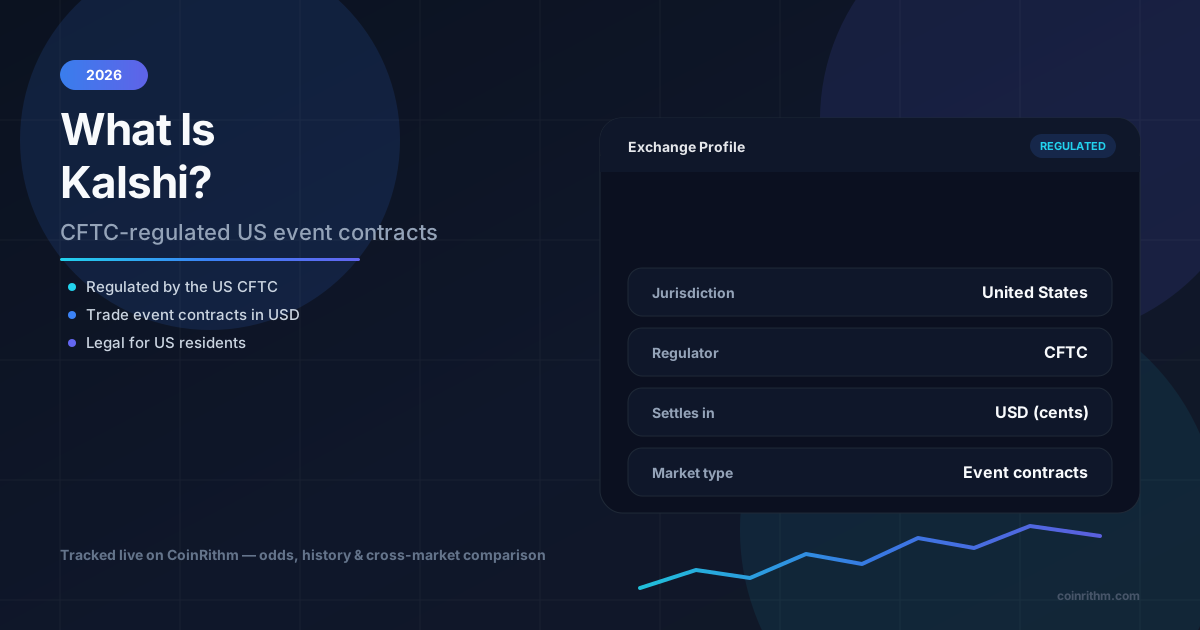
If you need the background first, read What Is Kalshi?. The short version: Kalshi is a CFTC-regulated US exchange that trades Yes/No event contracts and settles in plain US dollars. That is the biggest practical difference from a crypto-native platform like Polymarket — there is no wallet, no seed phrase, and no on-chain funding step. If you have already used Polymarket and want the side-by-side onboarding comparison, read How to Use Polymarket.
TL;DR
- Kalshi is fiat-first: sign up, verify your identity, then fund your US dollar balance by debit card, wire or crypto, or in the US also by bank transfer, PayPal, Venmo or Cash App. Deposits start at $10 ($1,000 by wire). No crypto wallet required.
- Kalshi accepts adults 18 and over in the US and, since October 2025, in many other countries, but its Member Agreement (September 20, 2026) restricts 55 jurisdictions, including the UK, Canada, France, Italy, Ireland, Australia and Switzerland.
- Markets are Yes/No event contracts priced between 1 and 99 cents, settling at 100 cents or 0.
- Use CoinRithm's Kalshi hub to research markets before you ever open an account.
- Try paper trading with mock USD first so your first real order is not also your first time reading an order book.
- Read the resolution rules before every trade — this is where beginners lose money, not on the mechanics.
What You Need Before You Start
| Requirement | Why It Matters |
|---|---|
| Age 18 or over, a government photo ID (driver's license or passport) and a residential address, in the US or a country not on Kalshi's restricted list | Kalshi is a regulated exchange and verifies identity before you can fund an account |
| A funding method: a debit card, a wire or crypto, or in the US a bank account, PayPal, Venmo or Cash App | Your balance is held in US dollars, and no crypto wallet is needed |
| One simple market you understand | Your first order should test process, not creativity |
| Willingness to read the resolution rules | Most beginner mistakes happen before clicking buy |
Before You Start
Before you use Kalshi, understand what it is and what it is not.
Kalshi is:
- a CFTC-regulated Designated Contract Market — the same regulatory classification as major US futures exchanges
- held and settled in US dollars: you can deposit crypto, but your balance and payouts are in dollars
- built around binary Yes/No event contracts
It is not:
- a crypto wallet or blockchain-based product
- a guaranteed-profit tool
- a place to skip reading resolution rules
Kalshi also offers combos, which bundle several outcomes into one contract, and, since 2026, perpetual futures, which US users must apply for. This guide covers the standard Yes/No contracts.
The onboarding difference that matters most for beginners: Kalshi does not require a wallet. You sign up with an email (or Google/Apple), verify your identity the way you would for a brokerage account, and fund from a card, a bank or another supported method. That is a meaningfully lower-friction start than a crypto-native platform, but it comes with its own step that polymarket.com does not have, identity verification, which is covered in Step 1.
Quick Start Checklist
If you want the shortest possible answer to how to use Kalshi for beginners, follow this order:
- confirm Kalshi is available where you live: its event contracts are open to users in the US and many other countries, but not in the 55 jurisdictions its Member Agreement restricts (see Kalshi Countries and Availability)
- create an account and complete identity verification
- fund it with a debit card, bank transfer or another supported method ($10 minimum)
- choose a simple market you actually understand
- read the resolution rules before buying anything
- place a small first order
- monitor the position and withdraw when you are ready to cash out
Step 1: Create Your Account and Verify Your Identity
Kalshi is a regulated exchange, so account creation includes an identity check that a crypto-native platform does not require.
Signing up:
- Visit Kalshi and choose to sign up.
- Create an account with email and password, or continue with Google or Apple.
- Provide the basic details Kalshi asks for to begin verification.
Identity verification (KYC):
Because Kalshi is CFTC-regulated, it has to confirm who you are before you can trade with real money. In practical terms that generally means:
- confirming you are 18 or older and giving a residential address (PO boxes and commercial addresses are not accepted)
- entering your legal name, date of birth, and other identifying details exactly as they appear on your government ID
- taking a live photo of your government photo ID (a driver's license or passport) in the app; screenshots, photocopies and camera-roll uploads are not accepted, and some users are also asked for a live selfie
Verification is often quick. If it goes to manual review, for example because your submitted details do not match cleanly, Kalshi says it typically finishes within 48 hours. You do not need a US phone number to sign up. Requirements, timing, and international availability change, so check Kalshi's current help center before you start if anything above doesn't match what you see on screen.
If your bigger question is whether you can use Kalshi where you live, there are two separate checks. Outside the US, Kalshi has accepted users from many countries since October 2025, but its Member Agreement (September 20, 2026) restricts 55 jurisdictions, including the UK, Canada, France, Italy, Ireland, Australia and Switzerland; see Kalshi Countries and Availability. The agreement covers where you live and where you are, so a VPN does not make trading permitted, and Kalshi can suspend or revoke access. Inside the US, the federal CFTC approval is settled, but several states have challenged Kalshi, mostly over its sports contracts, and court orders make it geofence some contract types in Nevada and Michigan; read Is Kalshi Legal? State-by-State.
Step 2: Fund Your Account
Once your account is verified, you fund it much like a brokerage account: for card and bank deposits there is no wallet, no network selection and no seed phrase.
The methods (Kalshi's help center, September 2026):
- Debit card, Apple Pay or Google Pay: US and international, $10 minimum, usually credited instantly, with a processing fee of up to 2%.
- Bank transfer (ACH): US only, free, $10 minimum. Kalshi often credits part of it at once, and the full amount typically settles within 5 business days. US banks on the RTP network can also send instant RTP payments, with no Kalshi fee.
- Wire transfer: US and international, $1,000 minimum, no Kalshi fee (your bank may charge), usually credited the same business day if received by 4pm ET.
- Crypto: US and international, $10 minimum, network and provider fees, typically credited within 30 minutes. It is converted into your dollar balance.
- PayPal, Venmo or Cash App: US only, $10 minimum. The first PayPal or Venmo deposit is free and later ones can cost up to 2% (neither is available in every state), and Cash App deposits carry a fee.
Beginner-safe approach:
- start with a small amount
- only fund what you are comfortable risking while you are still learning the mechanics
- confirm the funds have actually settled and are usable before you try to place an order
Deposit minimums, fees and settlement timing can change, so check Kalshi's current terms before you fund an account. How to Deposit on Kalshi covers every method in detail. For the cost of trading itself once you're funded, read Kalshi Fees Explained, which breaks down the per-contract trading fee formula and why a 50/50 market costs more to trade than a lopsided one.
Step 3: Find a Market You Understand
Kalshi markets are structured as event contracts: a Yes/No question that settles at 100 cents if it resolves Yes, or 0 cents if it resolves No. The current price — somewhere between 1 and 99 cents — reflects the market's implied probability that Yes happens.
The cleanest beginner workflow is to research markets before you ever open Kalshi itself. Use CoinRithm's Kalshi hub to browse what's currently active, see live odds and volume, and compare the same event across Kalshi and other venues — all without a Kalshi account.
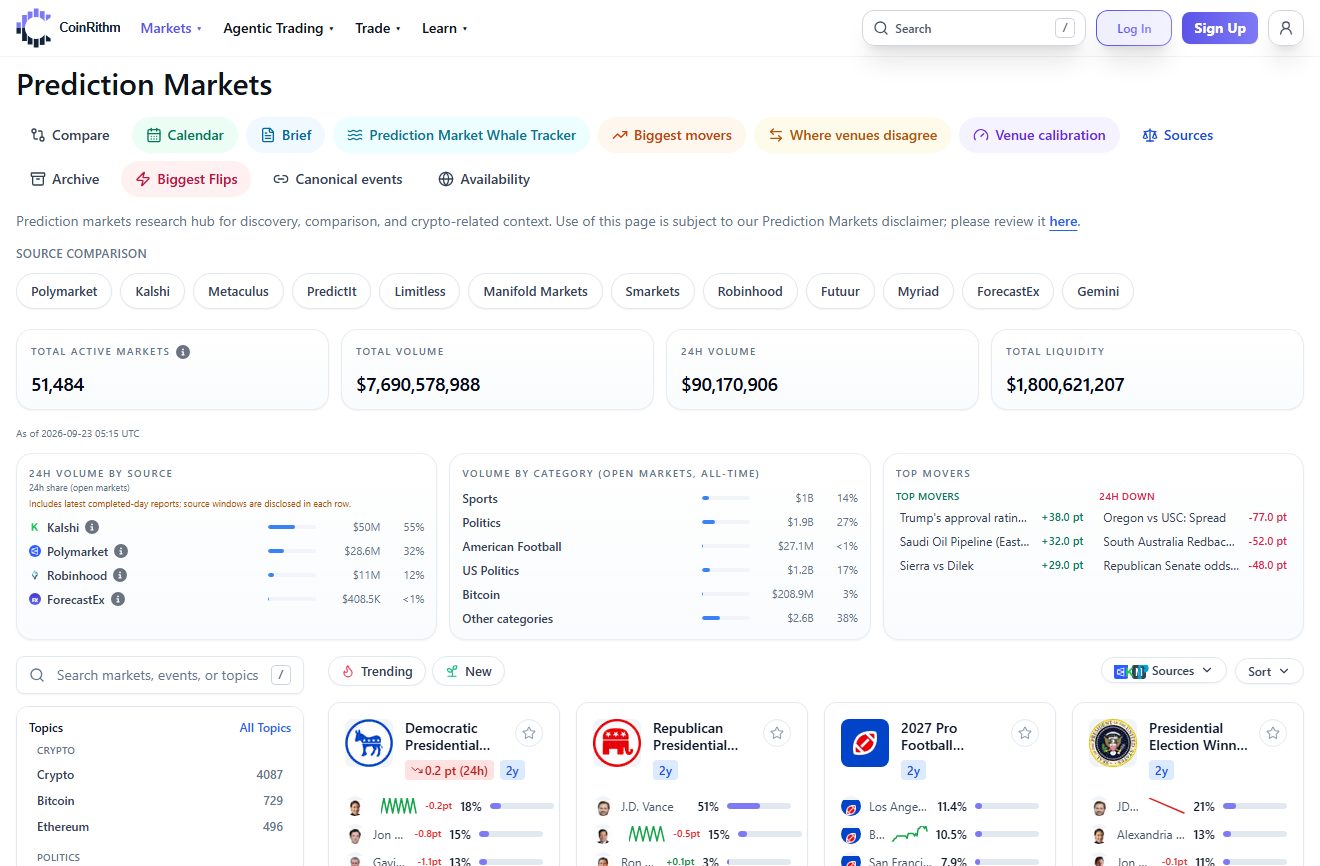
Use CoinRithm to narrow the market before you open an order on Kalshi.
Kalshi's markets span sports (about half of its open events in September 2026), elections, entertainment, politics, finance, economics (Fed decisions, CPI), weather, crypto and more. Good beginner filters:
- you understand the topic without needing to look anything up
- the contract wording is specific, not vague
- the market has enough visible liquidity to enter and exit cleanly
- you are not choosing it because it is trending
The best first market is usually liquid, simply worded, and tied to an event you can actually follow to resolution.
Step 4: Place Your First Order
Before placing an order, read the resolution rules for that specific market: the exact question, the resolution date, and the data source Kalshi uses to determine the outcome. This is the single most important step and the one beginners skip most often.
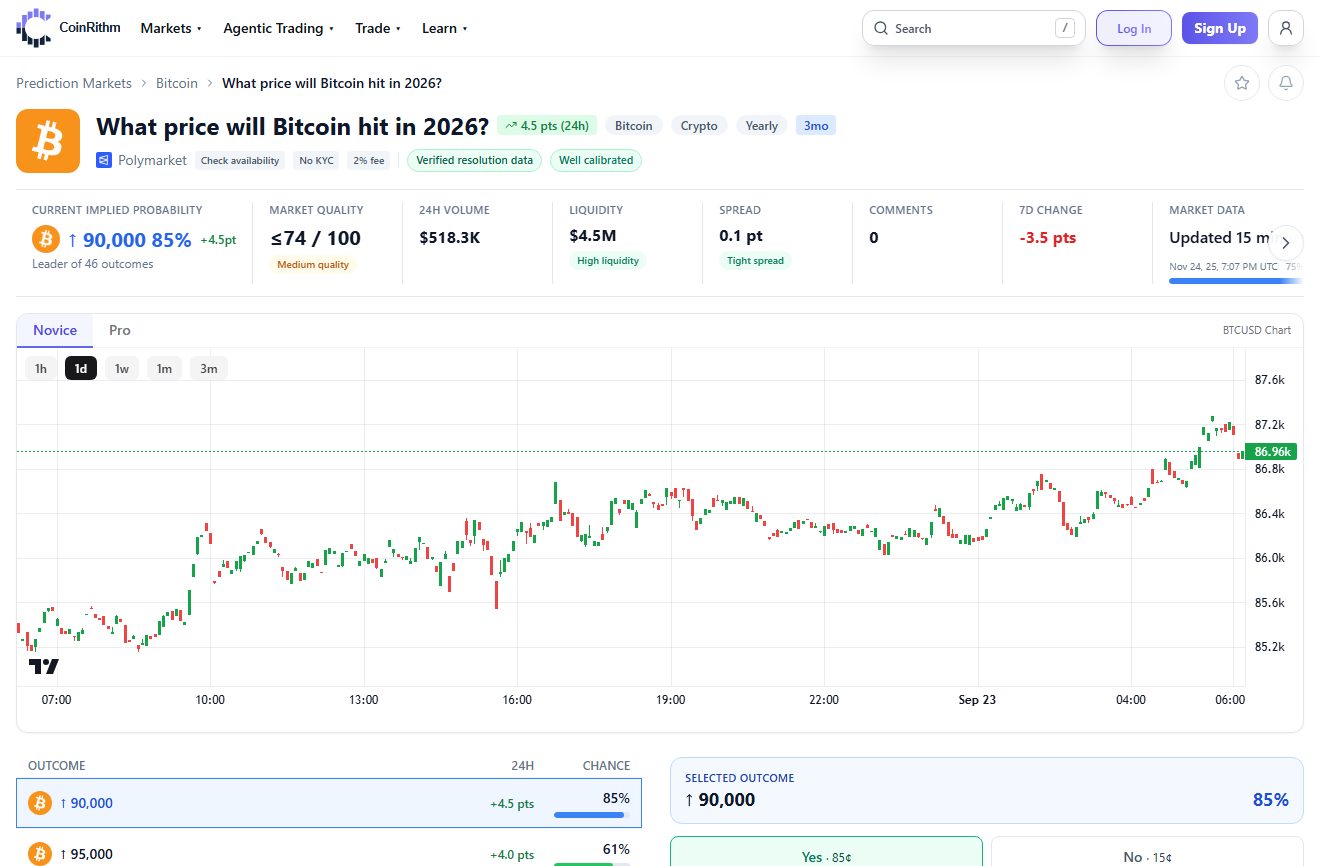
Read the resolution rules before you place an order.
Order basics:
- Market order (Kalshi calls it a Quick Order): fills immediately at the best available price, and a large order can fill across several price levels. Simple, but you take whatever the current spread offers, and on most markets you pay the taker fee: 0.07 × contracts × price × (1 - price), rounded up, at most $1.75 per 100 contracts at a 50-cent price.
- Limit order: you set the most you are willing to pay. If contracts are already offered at that price or lower, it fills right away and pays the taker fee; otherwise it rests on the order book until someone matches it. Resting (maker) orders pay no fee on most markets, although a listed set of series, mostly sports and major economic markets, charges makers a quarter of the taker rate, and cancelling a resting order is free. See Kalshi Fees Explained for the exact formula.
Simple beginner example:
- Buy
100Yes contracts at40cents each with a market order - Total cost =
$40.00plus a$1.68taker fee =$41.68 - If the market resolves Yes, each contract pays
100cents: a gross payout of$100, a profit of$58.32 - If the market resolves No, each contract pays
0: you lose the$41.68
That example is intentionally small. Your first order should test whether you understood the rules and the price, not maximize size.
Step 5: Track the Position and Exit Early
After your order fills:
- watch the price and the underlying event, not just your account balance
- keep re-checking whether your original reasoning still holds
- remember prices move continuously as new information comes in — you do not have to wait for final resolution
You can usually sell out of a position before the market resolves, locking in a gain or cutting a loss, the same way you could exit early on any other prediction market platform. That flexibility matters because the value of a contract often shifts well before the underlying event is decided.
Step 6: Withdraw
When you're ready to take money out, Kalshi only lets you withdraw settled cash that isn't tied up in an open position — you'll need to close or wait for markets to resolve first.
The short version: Kalshi charges nothing to withdraw by debit card, bank transfer (ACH), PayPal, Venmo or crypto. A debit card withdrawal typically arrives within a few hours, crypto within about 30 minutes (only after an earlier crypto deposit), and a US bank transfer within a few business days. Outside the US you can withdraw only by debit card or crypto. Recent card and bank deposits can be held for up to 2 days after they settle if you withdraw them by a different method.
For the full breakdown of every withdrawal method, timing, and fees, read How to Withdraw from Kalshi.
Common Beginner Mistakes on Kalshi
- Rushing identity verification — blurry ID photos or details that don't exactly match your government ID are the most common reason verification stalls.
- Assuming international access matches the US experience: Kalshi's Member Agreement restricts 55 jurisdictions, including the UK, Canada, France, Italy, Ireland, Australia and Switzerland, and outside the US you can deposit only by debit card, wire or crypto and withdraw only by debit card or crypto.
- Trading 50/50 markets repeatedly without noticing the fee — the trading fee is highest on coin-flip contracts and lowest on lopsided ones; see Kalshi Fees Explained.
- Skipping the resolution rules — a market can look obvious, but the written rules define the outcome, not your intuitive reading of it.
- Treating "Kalshi is regulated" as "every Kalshi market is available everywhere": the federal CFTC approval is settled, but several states have challenged Kalshi, mostly over its sports contracts, and court orders make it geofence some contract types in Nevada and Michigan; see Is Kalshi Legal? State-by-State.
- Sizing too large on a first order — the goal of your first few trades is learning the process, not maximizing the win.
How CoinRithm Fits In
You don't need a Kalshi account to start learning how Kalshi markets behave.
- Research first. Browse live Kalshi odds, volume, and category filters on the Kalshi hub on CoinRithm before you ever fund an account.
- Compare across venues. If the same event trades on Kalshi and elsewhere, CoinRithm lets you see how each venue is pricing it side by side.
- Practice with paper trading. CoinRithm's paper trading lets you simulate a position on a Kalshi-listed event with mock USD before you risk real money on Kalshi itself. CoinRithm is an independent aggregator and research tool — it is not affiliated with Kalshi, and paper trades placed on CoinRithm are entirely separate from real Kalshi contracts.
Frequently Asked Questions
Do I need cryptocurrency to use Kalshi?
No. Kalshi balances are held and settled in US dollars, and you can fund your account by debit card or wire, or in the US by bank transfer, PayPal, Venmo or Cash App, with no crypto wallet involved. Crypto deposits are optional: Kalshi accepts them and credits your dollar balance.
How do I sign up and verify my identity on Kalshi?
Create an account with email or a Google/Apple sign-in, then complete identity verification: you must be 18 or older, give a residential address, and take a live photo in the app of a government photo ID (a driver's license or passport) that matches your legal name and date of birth. Manual reviews typically finish within 48 hours. You do not need a US phone number, but people in the 55 jurisdictions Kalshi restricts cannot trade its event contracts. Check Kalshi's current help center for the exact current requirements.
How much does it cost to trade on Kalshi?
On most markets, orders that fill immediately pay a taker fee of 0.07 × contracts × price × (1 - price), rounded up, which peaks at $1.75 per 100 contracts at a 50-cent price. Resting (maker) orders are free on most markets, and there are no settlement or membership fees. ACH deposits are free, card deposits cost up to 2%, and Kalshi charges nothing to withdraw by bank, debit card, PayPal, Venmo or crypto. See Kalshi Fees Explained for the full formula.
What is the minimum deposit on Kalshi?
The minimum deposit on Kalshi is $10 for every method except wire transfers, which need at least $1,000, according to Kalshi's Transfers FAQ (September 2026). Wires under $1,000 are returned to the sending bank. Your deposit limits are shown on the Transfers page, and minimums can change, so check Kalshi's current terms before funding an account.
Can I sell before the market resolves?
Yes. You can typically exit a position early, locking in a gain or cutting a loss, rather than holding every position to final resolution.
Is Kalshi legal in my state?
Kalshi's CFTC approval covers it federally, but several states have challenged Kalshi, mostly over its sports event contracts, and court orders currently make Kalshi geofence some contract types in Nevada and Michigan. Read Is Kalshi Legal? State-by-State for the current picture.
How is this different from using Polymarket?
Kalshi is fiat-first and requires identity verification. polymarket.com is crypto-native: you sign up with email, Google or a crypto wallet, your balance is held in pUSD (a token backed 1:1 by USDC) on Polygon, its sign-up guide has no identity check, and it is closed to US residents, who use the separate CFTC-regulated Polymarket US app instead. If you're deciding between the two or already know Polymarket, read How to Use Polymarket for the equivalent walkthrough.
Conclusion
Using Kalshi safely is mostly about process, and the fiat-first onboarding removes the wallet friction a crypto-native platform requires — but it adds an identity verification step in its place.
The basic order is:
- create an account and verify your identity
- fund with a debit card, bank transfer or another supported method ($10 minimum)
- find a market you actually understand
- read the resolution rules carefully
- place a small first order
- track the position, exit early if needed, and withdraw when ready
If you follow that order, you avoid most of the mistakes that trip up new Kalshi users.
Start with the Kalshi hub on CoinRithm for research, try paper trading to get comfortable with the mechanics, and only then move to funding a real Kalshi account.
Continue reading: Prediction Market Volume and Open Interest Explained.
Last Updated: September 23, 2026
Disclaimer: This article is for educational purposes only and is not financial advice. CoinRithm is an independent research and aggregation platform and is not affiliated with Kalshi. Identity verification requirements, deposit and withdrawal methods, fees, and country availability can change — always verify current terms directly with Kalshi before funding an account or placing a trade. Only trade money you can afford to lose.