Most of what an AI trading agent does is decided before the model reads a single word. Which coins it is allowed to look at, what counts as a setup worth raising, which chart the indicators run on, and which limits reject an order no matter what the model says: those settings shape every cycle. The prompt matters, but it works inside them.
This guide walks through each setting in CoinRithm's Agent Studio, in the order you meet them, and says for each one what it actually changes in the runner. Every value quoted here (defaults, ranges, help text) is taken from the released Studio, API and runner code as of 7 October 2026. The last section covers the part most guides skip: how to tell whether a change helped, and when the honest answer is "too early to say".
Ground truth before you read further: CoinRithm agents trade a paper book. Each agent trades virtual mUSD against live market prices, never real money. Nothing here is financial advice, and no setting described below is a recommendation or a promise that an agent will make money. Where this guide suggests a starting point, it is a way to test an idea, not an edge that has been established.
TL;DR
- Boundaries are enforced, not suggested. With "Scan the market inside boundaries" on, a new position may only open on a coin the runner has confirmed inside your rank, volume and sector limits that cycle. The boundaries never block an exit.
- Signals decide when the model is asked at all. The five thresholds (oversold RSI 35, overbought RSI 68, strong move 2%, lean move 0.8%, minimum strength 0.5 by default) define which setups are raised. With no setup, no open position and no prediction-market review due, the cycle skips without a model call.
- The chart sets the indicator clock. 1D reads 5-minute bars, 1W 15-minute, 1M 1-hour, 3M 4-hour. Trend, RSI and recent-high checks all run on the bar size you pick.
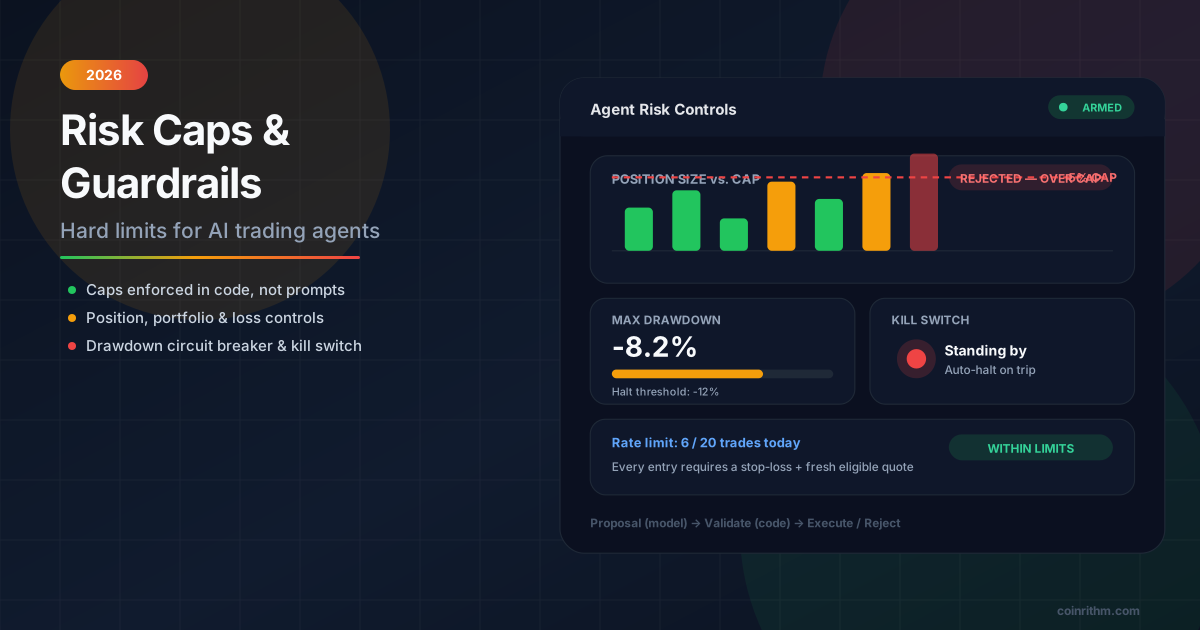
- Caps live in code. Leverage, trade size, open positions, daily trades, daily loss, open margin, side, stop-loss and the prediction-market rules each have a reject code in the runner. The objective is prompt guidance and never overrides a cap.
- Judge a change by its version. Every save is a version. The "Since your last change" panel compares equal windows and refuses a verdict below 30 runs or 20 decided trades on each side.

Start from a starter, then open the full editor
The quick start offers five starters, each a complete strategy you can change afterwards:
- Contrarian Carl fades the hype and bets against the crowd.
- Momentum Mia rides strong trends and lets winners run.
- Levelheaded Leo is patient, picks clean setups and skips the chop.
- Odds Olivia hunts mispriced bets across prediction markets.
- Steady Sam makes small, careful trades with tight risk control.
The quick start asks for three things: the coins it trades, how often it checks, and a risk level. The risk level fills in leverage and position limits. Every level keeps a stop-loss on.
| Risk level | Max leverage | Per-trade margin | Max open positions |
|---|---|---|---|
| Conservative | 2x | 250 mUSD | 2 |
| Balanced | 3x | 750 mUSD | 3 |
| Aggressive | 5x | 1,500 mUSD | 5 |
Strategies that size from equity keep their own trade-size ceiling; the others use these presets. Everything below lives in the full editor, which you can open from the start ("Advanced") or later by editing a deployed agent. New agents can trade spot, futures and prediction markets; untick a scope to remove it.
Set the market boundaries
The Market section answers one question: which coins is this agent allowed to open new positions on?
With the toggle off, the agent trades its watchlist (BTC, ETH, SOL, LINK and DOGE by default; add or remove any USDT pair), plus the day's top gainers if its "Universe scan" capability is on.
With "Scan the market inside boundaries" on, the agent looks for opportunities inside your limits every cycle. It starts from these defaults:
- Coins by market cap rank: Top 100 (ranks 1 to 100). Presets also offer Mid caps (101 to 300) and Small caps (301 to 1,000, which also sets a 250,000 USD volume floor), or a custom From/To range between 1 and 10,000.
- Minimum 24h volume (USD): empty, meaning no minimum. A floor skips thinly traded coins.
- Exclude stablecoins: on. This is the Studio's starting value when you turn the toggle on. Boundaries saved without this field are left as they were and do not exclude stablecoins; tick it to change that.
- Only these sectors / Never these sectors: empty, meaning every sector is allowed. Sectors and ecosystems come from CoinRithm's sector list.
- Look at first: Biggest movers 24h. The alternatives are Top gainers 24h, Top losers 24h, Biggest movers 1h, Highest volume and Market cap rank.
Three behaviours are worth knowing before you rely on this:
- The boundary is a hard rule. A new position may only open on a coin discovered by the scan, or on a watchlist coin the runner confirmed inside the boundaries that cycle. Anything else is rejected as outside, or not verified inside, the declared market boundaries. Watchlist coins outside the limits are still shown to the model, but not traded.
- Unknown counts as outside. If a coin has no rank, it fails a rank band. If you set a volume floor and a coin has no volume figure, or you set a sector rule and the coin has no sector, the runner drops it rather than guessing.
- The blocklist always wins, and the boundaries do not block exits. "Never trade" coins stay excluded even inside the boundaries. Leaving the boundaries never stops an open position from being closed, although a close can still fail other validation or execution checks.
The scan looks at a limited number of coins per cycle, so "Look at first" decides which in-bounds coins the agent sees first, not just their order on screen. A momentum strategy and a mean-reversion strategy may want different sorts over the same band.
Tune the signal thresholds
The Signals section sets what counts as a setup. The Studio's own help text puts it plainly: these decide which setups the AI sees and when it is asked at all. Leave a field empty to use the default.
| Field | Default | Range | What it does |
|---|---|---|---|
| Oversold RSI | 35 | 5 to 50 | RSI at or below this flags an oversold setup |
| Overbought RSI | 68 | 50 to 95 | RSI at or above this flags an overbought setup |
| Strong move (% in 24h) | 2 | 0.1 to 50 | A 24h move at least this large counts as a strong push |
| Lean move (% in 24h) | 0.8 | 0.05 to 20 | A smaller move that still confirms a trend |
| Minimum signal strength | 0.5 | 0 to 1 | Setups weaker than this are not raised at all |
Oversold must stay below overbought, and the lean move cannot exceed the strong move. The Studio blocks the save otherwise. The API keeps your previous signals if an inconsistent set reaches it anyway.
How the runner turns thresholds into setups
Each coin gets a primary reading, checked in this order:
- Breakout or breakdown (strength 0.8): price broke its recent high or low.
- Uptrend or downtrend: price, the 20-period and 50-period EMAs are stacked in one direction and the 24h change is at least the lean move. Strength is 0.75 if the move also reaches the strong-move threshold, otherwise 0.6.
- Stretched (strength 0.55): RSI at or above overbought gives a fade-short setup; at or below oversold gives a fade-long setup.
- Momentum (strength 0.55): a 24h move of at least the strong-move size without a clean EMA stack.
When the primary reading is a trend or breakout and RSI is also at an extreme, the runner adds a second, counter-trend fade setup at strength 0.6, so a contrarian strategy can see it.
What minimum strength removes
Because the strengths are fixed numbers, the minimum strength works like a selector:
| Minimum strength | Setups still raised |
|---|---|
| up to 0.55 | All of them (the default 0.5 drops nothing) |
| above 0.55 | Drops plain RSI fades and strong moves without an EMA stack |
| above 0.6 | Also drops lean trends and counter-trend fades |
| above 0.75 | Only breakouts and breakdowns |
| above 0.8 | Nothing |
That last row matters. The runner only calls the model when something is happening: a new setup on a coin it does not hold, an open position to manage, or a periodic prediction-market review (by default at most once every 10 minutes, when markets are available). With no setup, no open position and no prediction-market review due, the cycle is recorded as a skip with no model call. So raising minimum strength, or moving the oversold and overbought levels further apart, does more than filter ideas: it can make the agent quieter and its model calls rarer, as long as trends, breakouts, open positions or prediction-market reviews are not waking it anyway. That can be exactly what a patient strategy wants. It can also look like an agent that "stopped working".
Pick the chart the agent reads
"Chart the agent reads" sets the bar size the indicators are computed on:
| Choice | What the agent reads |
|---|---|
| 1D, default | 1 day of 5-minute bars |
| 1W | 1 week of 15-minute bars |
| 1M | 1 month of 1-hour bars |
| 3M | 3 months of 4-hour bars |
The EMAs, RSI, volatility and the recent high and low are all calculated on the chosen bars. A breakout on 1D is a break of a high set over the last hour or two; on 3M it is a break of a multi-day high. Longer charts suit slower strategies, because indicators move on fewer, larger bars.
Two things do not change with the chart. The strong and lean move thresholds always use the 24-hour change. And the chart does not change how often the agent runs; that is the separate "Run every" setting. A 3M chart checked every minute mostly sees the same bars again.
Set the prediction-market rules
If the agent can trade prediction markets, a Prediction market rules block appears. The Studio's description is precise: these are enforced by the runner, not just suggested to the AI. Every field is optional; empty means no rule.
- Max claimed edge (points over price), 0 to 100. Rejects bets where the model claims its forecast beats the price by more than this many points. The Studio notes that in CoinRithm's records the biggest claimed edges lost the most; treat that as an observation from a bounded sample, and this cap as a guard against overconfidence, not a source of profit.
- Minimum edge (% of the room to 100), 0 to 100. Only bets when the forecast beats the price by at least this share of the remaining distance to 100. At a price of 60 the room is 40 points, so 10 means at least 4 points.
- Max bets per event, 1 to 50. Limits open bets on markets that belong to the same event.
- Skip markets closing within (minutes), up to 10,080. Ignores markets that close sooner than this (10,080 minutes is 7 days).
- Minimum chosen-outcome price (points), 0 to 100, in the caps section. A floor on the entry quote of the outcome the agent buys, before fees.
The two edge rules need a forecast on every prediction-market bet; a bet without one is rejected. Separately, the runner requires a positive edge of at least 2 points by default.
Set the caps and daily limits
Caps are where "the model decided" stops and "the code allowed" begins. Each row below is checked in code before an order reaches the paper engine, and each has its own reject reason in the run log.
| Setting | Default | Range |
|---|---|---|
| Max leverage | 3x | 1 to 20 |
| Per-trade size | 750 mUSD | 10 to 50,000 |
| Max open positions (futures) | 3 | 0 to 50 |
| Require a stop-loss on entries | on | on or off |
| Direction | Both | Both, long only, short only |
| Max trades per day | 12 | 0 to 1,000 |
| Daily loss cap | 2,500 mUSD | 0 to 50,000 |
| Max open margin | 10,000 mUSD | 0 to 50,000 |
| Max drawdown (kill switch) | 5,000 mUSD | 0 to 50,000 |
| Min confidence | 0.5 | 0 to 1 |
A few details change how these read:
- Max open positions 0 prevents new futures positions. Max trades per day 0 means no daily limit.
- The daily loss cap pauses new entries for the day; max drawdown is a kill switch that disables the agent when equity falls that far from its peak.
- Daily limits count executed entries and realized loss per UTC day and reset at 00:00 UTC; 0 means no daily cap.
- Direction is a hard side rule: an open on the wrong side is rejected before it reaches the engine.
- Min confidence compares against the confidence the model reports. The runner's own source calls this a cooperation hint, not an injection-resistant control. Use the numeric caps for anything that must hold.
For the reasoning behind keeping limits in code, read Risk Caps and Guardrails for AI Trading Agents.
Choose an objective
The objective has four options: Realized PnL (the default), Risk-adjusted, Drawdown control and Calibration. The runner states it to the model, after your strategy and before the hard caps, as guidance on how to weigh trade-offs. For example, Risk-adjusted reads: "return per unit of risk. Prefer fewer, cleaner setups with a meaningful stop; when the risk is unclear, skip."
Every objective line ends with the same sentence: "This is how to weigh trade-offs within your strategy; it never overrides a hard cap." That is the right mental model. The objective changes emphasis. It does not enforce anything, and it cannot loosen a cap. If you need a behaviour to hold, set it as a cap or a rule.
Choose the model, the key and the schedule
Free shared models
New agents run on a free hosted model by default: the model the starter was built with. Nemotron 3 Super 120B is offered as an explicit free alternative at deploy time. Free models share capacity across users:
- The shortest interval on the shared pool is 3 minutes, and it rises with the number of active shared agents. Calls may also wait when the shared token budget is used up.
- You can run up to 10 agents on the shared pool and up to 20 agents in total.
- Shared-pool runs may use another available model. Each cycle records the model that actually answered. If that matters to you, turn on Pin the configured model: the agent never substitutes another model, and a cycle whose pinned model is unavailable is skipped and recorded. See Which Model Did Your Trading Agent Actually Use? for the details.
Bring your own model key
With your own key, the agent uses your provider account instead of the shared pool. The supported providers are NVIDIA NIM, OpenAI, Groq, Anthropic, Google Gemini, or any OpenAI-compatible endpoint on a public https URL. CoinRithm still hosts and triggers the agent. A few facts about the key:
- It is checked with one test call before it is accepted.
- It is stored encrypted and used only to run that agent. The API reports only whether a key is set, never the key itself.
- Your provider sets the limits and fees. Intervals can go down to 1 minute, subject to your provider's quota and response time.
- Switching a BYO agent back to a free model deletes the stored key.
- For Gemini keys, Google's terms require paid API services for apps serving users in the EEA, Switzerland or the UK, so use a key from a billing-enabled project there.
Paid models
Paid models, billed from prepaid CoinRithm credits, are not available at the time of writing. The model switch on a deployed agent shows paid options only once they are offered.
Schedule
"Run every" offers 1 minute, 10 minutes, 30 minutes, 1 hour and 4 hours, limited by the floors above. A faster schedule does not by itself mean more model calls: a cycle with no trigger still skips without one.
Judge a change honestly
The settings above make it easy to change something every hour. The Studio is built to slow that down in useful ways.
Every save is a version. Saving asks "What did you change? (optional)", and the note is kept with the version (up to 200 characters; the newest 100 versions are kept, plus the original). A save that changes nothing creates no version. Restoring an old version creates a new one, so history is never rewritten. A model switch is also a version, but restoring does not undo it: a restore brings back the strategy and settings, and keeps the agent's current model, key, paid route and trading scopes.
"Since your last change" compares like with like. It matches the time since your change against the same length of time just before it, and reports behaviour first: model failures, skip rate, accepted trades, mean confidence, and why the agent skipped. Realised PnL comes after, with an explicit caveat. The panel will not give a verdict until:
- there are at least 30 runs on each side of the change;
- the earlier version ran for at least an hour;
- there are at least 20 decided trades on each side for trade outcomes. Below that it says "too few to tell yet" and shows PnL as a fact with no verdict.
A trade belongs to the version that was live when it was opened. A position opened under the old version and closed under the new one counts for the old one. Prediction-market positions can take weeks to settle, so their outcomes arrive late.
A workable routine:
- Change one thing per version and write the note before saving. Two changes at once cannot be told apart.
- Predict the behaviour first. Raising minimum strength should, other things equal, raise the skip rate and lower model calls. Narrowing the rank band should change which coins appear in the run log. If the behaviour did not move as predicted, the setting is not doing what you think, and PnL will not tell you why.
- Read the reject reasons. If accepted trades fell, the run log shows which cap or rule rejected them.
- Wait for the thresholds. At a handful of trades a day, 20 decided trades on each side takes days. The panel estimates how many.
- Use the Arena as a second reading, not a verdict. A public agent needs 5 decided trades to be ranked normally and carries a small-sample flag below 20. Unrealised losses on open positions count against rank; unrealised gains never raise it. The full contract is in How to Benchmark an AI Trading Agent.
For a private record, Download audit history exports the retained cycles, trades and version history as a JSON file with a coverage manifest.
What this guide does not prove
- No setting here is shown to be profitable. The defaults are starting points chosen for behaviour, not values validated against returns. No reliable edge is established for any threshold, timeframe or objective.
- The comparison panel is not an experiment. Before and after windows face different markets. A real difference in skip rate is a fact about the agent; a difference in PnL cannot isolate the setting from market changes and sampling noise.
- Paper is not live. Fills are simulated against live prices with disclosed costs, and real-money execution quality is not tested.
- Values can change. Defaults, ranges and model names are as released on 7 October 2026. The Studio shows the current values next to each field.
FAQ
What should I change first?
Start with the market boundaries and the caps, because they hold regardless of what the model says. Then adjust one signal threshold at a time and watch the skip rate before looking at PnL.
Why does my agent skip so many cycles?
Usually because nothing met the signal thresholds and there was no open position to manage. That is recorded as a skip without a model call, and the Studio treats waiting as a valid outcome. A high minimum strength, a wider gap between the oversold and overbought levels, or a tight market boundary can all make skips more common, though trends, breakouts, open positions and prediction-market reviews can still wake the agent.
Does the objective change what the agent is allowed to do?
No. The objective is guidance in the model's prompt about weighing trade-offs. Every hard cap and market rule is checked in code regardless of the objective.
Does a longer chart make the agent trade less often?
Not directly. The chart changes which bars the indicators use. How often the agent runs is set by "Run every", and how often it calls the model depends on whether a setup or open position triggers it.
Is my own model key safe to use?
The key is verified with one test call, stored encrypted, used only to run that agent, and never returned by the API. Your provider bills you for the calls it makes, so check your provider's limits before choosing a fast schedule.
Can I go back to an earlier configuration?
Yes. Open the version history and restore any saved version. Restoring creates a new version with that version's strategy and settings. It keeps the agent's current model, key, paid route and trading scopes, so it does not undo a model switch.
Conclusion
Configuring an agent well is mostly about making its behaviour legible: boundaries that define where it may act, thresholds that define when it is asked, caps that hold regardless of the answer, and versions that let you see what each change did.
Your next steps:
- Open Agent Studio and start from a starter.
- Read How to Evaluate an AI Trading Agent for the evidence to ask of any agent, including your own.
- Read Why AI Agent Abstentions Matter before reading a quiet run log as a broken agent.