Trying to keep up with crypto spread across exchanges, wallets and a few coins you bought on impulse? Prices tell you what the market did. A portfolio tracker tells you what happened to your money: what you own, what you paid, how much of your risk sits in one coin, and whether you are really up or down.
Quick answer: how to track a crypto portfolio as a beginner
- List every account. Write down each exchange and wallet you use, then choose one place to track them all: a spreadsheet or a portfolio tracker app.
- Record your cost basis. For every purchase, log the date, quantity, price and fee. Your average cost is everything you spent, fees included, divided by the coins you hold.
- Log every change. Sells, coin-to-coin swaps and staking rewards change your numbers. Transfers between your own wallets are not sales.
- Watch four numbers. Total value, allocation by coin, unrealized profit and loss (PnL) on coins you still hold, and realized PnL you locked in by selling or swapping.
- Review once a week. Check how far your mix has drifted from your plan and compare your return with simply holding Bitcoin.
The sections below expand this into six steps, a worked example and a performance check, and show where CoinRithm's free portfolio tracker, watchlist and paper trading simulator fit. This is general education, not tax or investment advice.
What Is Crypto Portfolio Tracking?
Crypto portfolio tracking means keeping one up-to-date record of your holdings so you always know:
- which coins you own, and how many
- where each coin is held (which exchange or wallet)
- what you paid for them, including fees (your cost basis)
- what they are worth at today's prices
- your profit or loss, both on coins you still hold and on coins you already sold
It is the difference between "I think I own some BTC, ETH and SOL" and knowing exactly how much exposure you have, where it sits, and whether each position is up or down.
Why it matters:
- Risk: you see when one coin has quietly taken over your portfolio.
- Honest results: you can separate real performance from new deposits, and paper gains from gains you actually locked in.
- Better buying decisions: you see whether a new purchase raises or lowers your average price.
- Tax records: exchange reports are no substitute. HMRC notes that they are "not tax calculations" and tells UK taxpayers: "You must keep your own records of your transactions" (HMRC guidance). Platforms also report more than before: US brokers file Form 1099-DA for sales from January 1, 2025 and add cost basis for certain sales from January 1, 2026 (IRS), and UK and EU platforms collect transaction data for tax authorities from January 1, 2026 under CARF and DAC8. Your own records are how you check those reports.
What to Track: Cost Basis, Allocation and PnL
You do not need 30 metrics. Start with these five.
| Metric | What it tells you | How to work it out |
|---|---|---|
| Total value | How much crypto you hold right now | Quantity times current price, added up across coins |
| Cost basis (average cost) | What you really paid per coin | (Purchase cost plus fees) divided by coins bought |
| Allocation | How concentrated your risk is | One coin's value divided by total portfolio value |
| Unrealized PnL | Paper profit or loss on coins you still hold | Current value minus the cost basis of those coins |
| Realized PnL | Profit or loss you locked in by selling or swapping | Sale proceeds after fees, minus the cost basis of the coins sold |
Total portfolio value
Total value is the quantity of each coin times its current price, added together. On its own it can mislead: a portfolio that grew from $5,000 to $9,500 is not up 90% if you deposited $4,000 along the way. Always read it next to your net deposits (money you put in minus money you took out). The performance section shows the full calculation.
Cost basis and average cost
Your cost basis is what it cost you to acquire a coin, fees included. The IRS uses the same definition: "the amount you spent to acquire the virtual currency, including fees, commissions and other acquisition costs" (IRS virtual currency FAQ, Q8). When you buy the same coin several times, your average cost is the total you spent, fees included, divided by the total coins you hold.
Cost basis is what turns a price into a judgment. Knowing where Bitcoin trades today tells you nothing about your own position until you know what you paid.
Allocation: what your portfolio is exposed to
Allocation is the share of your total value in each coin. It is the fastest way to spot hidden risk, because price moves change your allocation even when you do nothing. Here is a portfolio after one strong altcoin rally (illustrative numbers):
| Coin | Value at start | Share at start | Value now | Share now |
|---|---|---|---|---|
| Bitcoin (BTC) | $5,000 | 50% | $5,500 | 45.8% |
| Ethereum (ETH) | $2,500 | 25% | $2,000 | 16.7% |
| Solana (SOL) | $1,000 | 10% | $3,000 | 25.0% |
| USDC | $1,500 | 15% | $1,500 | 12.5% |
| Total | $10,000 | 100% | $12,000 | 100% |
SOL's share went from 10% to 25% without a single extra purchase. That may be fine, but it should be a decision, not an accident.
Look at your exposure three ways:
- Single coin: how much of the total depends on one asset.
- Cash buffer: stablecoins such as USDC and USDT are designed to hold a 1:1 value with the US dollar, so they act as the cash part of a crypto portfolio. Know whether you hold them on purpose.
- Custody: how much sits on one exchange or in one wallet. If a single platform has an outage or pauses withdrawals, that share is what you cannot reach.
Unrealized vs realized PnL
- Unrealized PnL is the gain or loss on coins you still hold: current value minus their cost basis. It changes with every price move and is not locked in.
- Realized PnL is the gain or loss you locked in when you sold or swapped: what you received after fees minus the cost basis of the coins that left your portfolio.
Beginners usually watch unrealized PnL and forget realized PnL. When you sell a whole position, it vanishes from your holdings list, and unless you log the sale, the record of what you made or lost goes with it.
Treat a coin-to-coin swap as a sale too. The IRS says that if you exchange virtual currency held as a capital asset for another virtual currency, "you will recognize a capital gain or loss" (IRS FAQ Q16), and HMRC lists "exchanging them for a different type of cryptoasset" as a disposal. Tax rules differ by country, but for tracking the logic is the same everywhere: a swap closes one position and opens another.
How to Track Your Crypto Portfolio Step by Step
Step 1: List every exchange and wallet
Start with a complete inventory. Write down every place that holds crypto for you:
- centralized exchanges, including old accounts you no longer use
- hardware and software wallets (note each public address)
- staking, savings or "earn" products
- small side accounts from past promotions or airdrops
Mark each one as custodial (the platform holds the coins) or self-custody (you hold the keys). If you skip an account, every number after this step is wrong.
Step 2: Pick one place to track everything
You have three realistic options: a spreadsheet, a tracker app where you enter holdings by hand, or an app that syncs through exchange API keys or public wallet addresses. They are compared below. If you hold a handful of coins and trade a few times a month, manual entry is enough.
Pick one and stick with it. Two half-maintained trackers are worse than one reliable one.
Step 3: Record every buy with its fee
For each purchase, record:
- date
- coin and quantity
- price per coin
- fee (in money or in coins)
- where the coins are held
Then download the transaction history from each exchange and keep the files. Many platforms offer an export or a transaction report, and it is your backup if a number ever looks wrong.
Step 4: Group holdings by purpose
Do not dump everything into one bucket. A clearer structure:
- long-term holdings
- active trading capital
- higher-risk altcoin positions
- stablecoins (your cash buffer)
If your tracker supports multiple portfolios, create one per purpose or one per exchange. Write down a target range for each group, such as a maximum share for any single altcoin. The numbers are your call; what matters is that drift becomes visible.
Keep practice money out of it: paper trading balances belong in a paper account, not in the portfolio that shows your real holdings.
Step 5: Log sells, swaps, transfers and rewards
Most tracking errors come from what happens after the first purchase:
- Sell: reduce the quantity and record the realized PnL.
- Swap (coin A for coin B): record it as a sale of A and a purchase of B at the same moment's value.
- Transfer between your own accounts: move the quantity from one place to the other and keep the original cost basis; it is not a sale. The IRS calls such a transfer "a non-taxable event" (IRS FAQ Q38). The network fee does reduce what arrives, so update the quantity.
- Staking rewards and airdrops: add them as new holdings with the date and the value on the day you received them. Tax authorities care about these too: the US Form 1040 digital asset question covers assets received as a reward, and the IRS lists staking and similar activities among them (IRS digital assets page).
Step 6: Review weekly and compare with a benchmark
A weekly review is enough for most beginners:
- add any buys, sells, swaps or rewards since last week
- check allocation against your target ranges
- look at your biggest winners and losers, realized and unrealized
- compare your return with simply holding Bitcoin over the same period
- skim crypto news for anything that affects what you hold, then leave the portfolio alone if nothing material changed
Once a month, write one row with the date, total value, net deposits, realized PnL and the BTC price. Twelve rows later you have an honest performance history. The point is clarity, not constant action.
Worked Example: Cost Basis, Unrealized and Realized PnL
Here is one coin, Bitcoin, bought twice and partly sold. The prices are illustrative round numbers, not live quotes.
| Event | BTC held | Total cost | Average cost | BTC price | Value | Unrealized PnL | Realized PnL |
|---|---|---|---|---|---|---|---|
| Buy 0.10 BTC at $60,000, $30 fee | 0.10 | $6,030 | $60,300 | $60,000 | $6,000 | -$30 | $0 |
| Buy 0.10 BTC at $80,000, $40 fee | 0.20 | $14,070 | $70,350 | $80,000 | $16,000 | +$1,930 | $0 |
| Price rises to $90,000 | 0.20 | $14,070 | $70,350 | $90,000 | $18,000 | +$3,930 | $0 |
| Sell 0.05 BTC at $95,000, $25 fee | 0.15 | $10,552.50 | $70,350 | $95,000 | $14,250 | +$3,697.50 | +$1,207.50 |
What the rows show:
- Fees start you negative. Right after the first buy you are down $30, because the fee is part of your cost.
- Average cost after two buys is $14,070 divided by 0.20 BTC, which is $70,350.
- Unrealized PnL at $90,000 is $18,000 minus $14,070, which is +$3,930 (about +27.9%).
- Realized PnL on the sale is the $4,725 you received ($4,750 minus the $25 fee) minus the cost of the coins sold (0.05 × $70,350 = $3,517.50), which is +$1,207.50.
- Selling does not change the average cost of what is left. It stays at $70,350 on the remaining 0.15 BTC.
- Total PnL is realized plus unrealized: $1,207.50 + $3,697.50 = $4,905.
Does the cost method matter? For the total, no. For the split, yes. Under first in, first out (FIFO), the 0.05 BTC sold would come from the first lot, at a cost of $60,300 per BTC, so realized PnL would be $1,710 and unrealized PnL $3,195. The total is still $4,905. The split matters for taxes, and the rules depend on where you live. According to the IRS FAQ, US taxpayers may choose which units they sell if they can specifically identify them, otherwise FIFO applies (IRS FAQ Q39 and Q41). In the UK, HMRC pools each token type at average cost, with separate same-day and 30-day rules. A tracker's average cost is a monitoring number, not a tax calculation.
How to Track Crypto Portfolio Performance
"Am I actually making money?" is harder to answer than it looks, because deposits and withdrawals distort your balance. Use three checks.
1. Measure gains against money in, not against the starting balance.
- Since you started: gain = current value minus net deposits (everything you ever put in minus everything you took out).
- For a period: gain = end value minus start value minus net deposits during the period.
Example: you start the year with $5,000 of crypto, deposit another $4,000 during the year, and end at $9,500. Your gain is $9,500 minus $5,000 minus $4,000, which is $500, not $4,500. As a simple return, that is about 5.6% of the $9,000 you committed. This simple measure ignores when during the year the money arrived, which is fine for a personal check.
2. Add realized and unrealized PnL. Your total PnL is the profit you locked in plus the paper profit on what you still hold. If your tracker only shows unrealized PnL, keep a simple log of realized results next to it, as in the worked example above.
3. Compare with a benchmark. Check your return against simply holding Bitcoin, or a Bitcoin and Ether mix, over the same period. The BTC price in your monthly snapshot makes this a one-line calculation. If your altcoin picks trailed plain BTC for a year, that is useful information about your process.
Judge performance over months, not days. Crypto moves enough in a week to make any approach look brilliant or broken.
Spreadsheet vs Tracker App vs Exchange Sync
| Method | Best for | Strengths | Watch out for |
|---|---|---|---|
| Spreadsheet | People who want full control | Free, flexible, tracks anything you can type | Prices need updating by hand or a price feed; formula errors |
| Tracker app with manual entry | Beginners and long-term holders | Live prices and PnL without sharing any keys | You still enter each trade yourself |
| Exchange API sync | Frequent traders | Imports trades automatically | Imports can be incomplete or messy; the key must be read-only |
| Public wallet address tracking | Self-custody wallets | Read-only by design: an address can be viewed, not spent from | Anyone who has the address can see its public balance |
Security rules for any tracker:
- Never type your seed phrase (Secret Recovery Phrase) or private key into a tracker, website or chat. MetaMask puts it plainly: "Anyone who can access your SRP can control your funds." A tracker only ever needs a public address, because on a public blockchain the private key is what controls the funds (ethereum.org).
- Use read-only API keys. Exchanges let you set permissions for each key. Kraken, for example, separates Query Funds from Withdraw Funds, and Binance's standard keys stay read-only unless you add an IP restriction. A tracker needs read (query) access, never trading or withdrawal rights.
- Prefer no keys at all when you do not need automation. Manual entry keeps your exchange accounts completely separate from the tracker.
Which should a beginner pick? Manual entry in a tracker app is the simplest safe start. Move to sync when typing trades becomes the reason you stop tracking.
How to Track Your Portfolio on CoinRithm
CoinRithm splits the job into three free tools (you need a free account to save your data). Knowing which does what keeps your numbers clean.
| Tool | Use it for | What you see |
|---|---|---|
| Portfolio | Coins you actually own | Live total value, total cost and P&L per coin and per portfolio |
| Watchlist | Coins you are considering | The price when you added each coin next to the live price |
| Paper trading | Practicing trades with virtual money | Orders, fills, cumulative PnL and AI feedback on past trades |
The Dashboard shows all three side by side.
Portfolio: your real holdings, entered manually
- Create a portfolio and name it (2 to 40 characters), for example "Long-term" or the name of an exchange. You can create several.
- Add a coin with the Portfolio button on any coin page (for example Bitcoin), or search for it under Edit assets.
- Enter the quantity and your average cost per coin in USDT (US dollar terms). Fold fees into the cost: (price × quantity + fee) ÷ quantity.
- When you buy more, use Add: CoinRithm recalculates a weighted average cost. When you sell, use Remove: the quantity drops, your recorded average cost stays the same, and the coin leaves the portfolio when it reaches zero.
Each portfolio shows total value, total cost and total P&L, plus a per-coin table with quantity, average cost, current price, value, P&L in money and percent, and the date added. Totals, values and P&L follow the display currency you pick in the site header, such as USD, EUR or GBP.
Two honest limits: the portfolio does not connect to exchanges or wallets (no API keys needed, so there are none to leak), and the P&L it shows is unrealized. Keep realized results in a simple log, and use your exchange's reports and a tax professional or tax tool when you file.
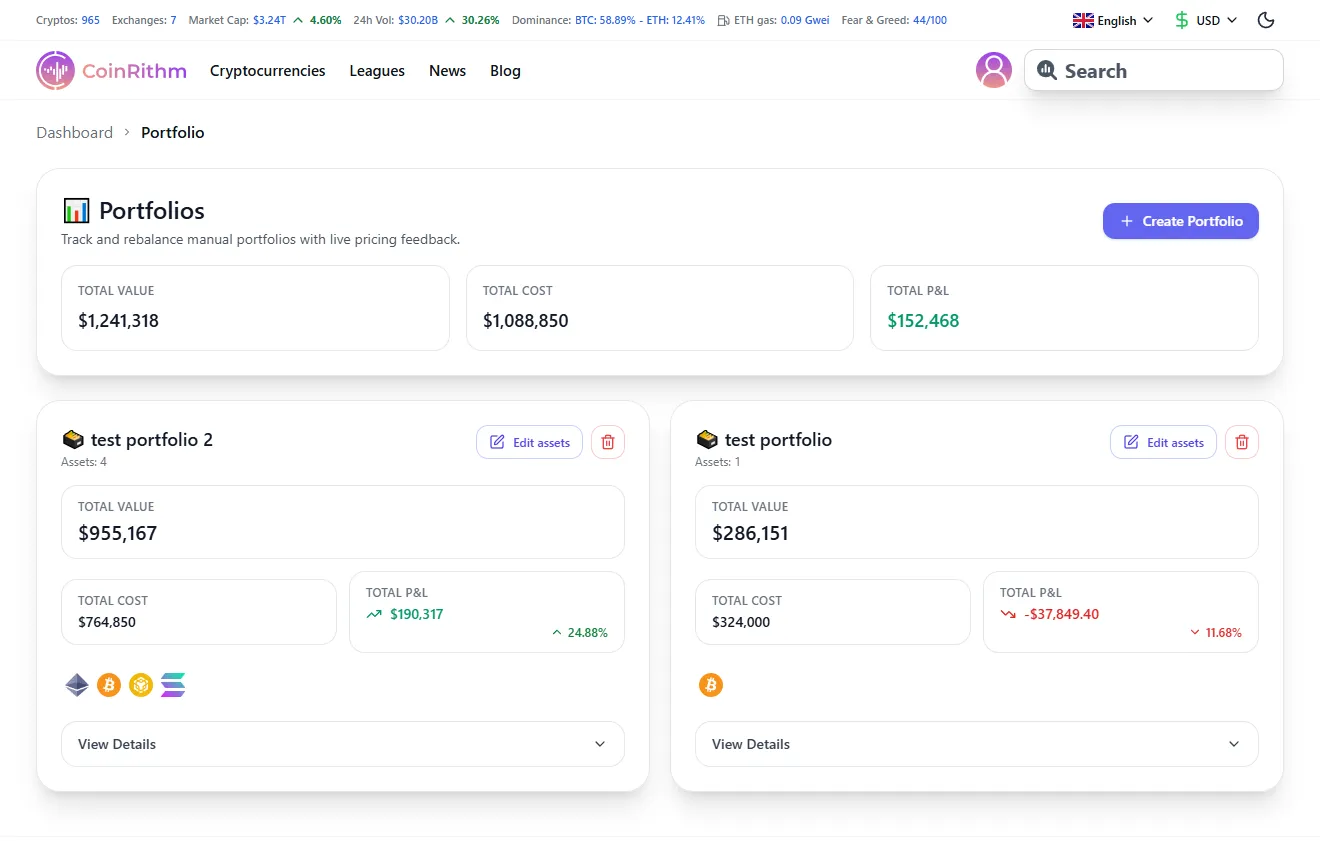
Figure: Portfolio page showing multiple portfolios with Total Value, Cost, and P&L metrics.
Watchlist: coins you are watching, not holding
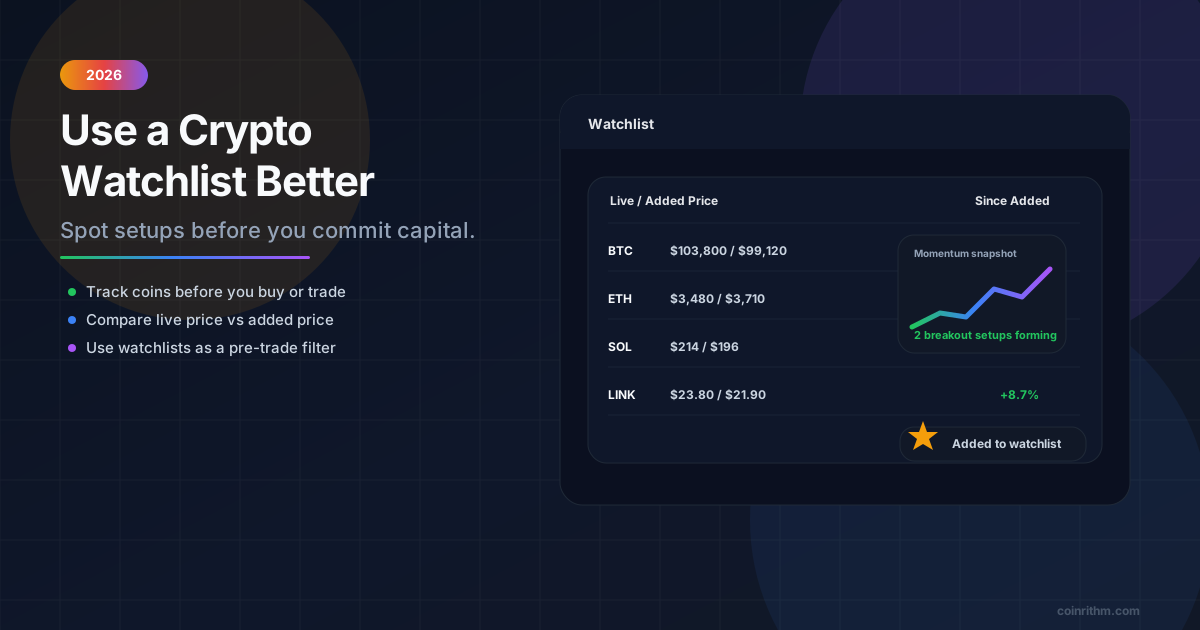
Use Add to Watchlist on any coin page. CoinRithm records the price and time you added each coin, then shows the live price next to it, the change since you added it, and your best and worst movers. It answers a question a portfolio cannot: did waiting help or hurt? After you sign in, the same page also keeps the prediction markets you follow and any alerts you set. Our guide on how to use a crypto watchlist before you trade covers the full workflow.
Paper trading: practice without touching your real numbers
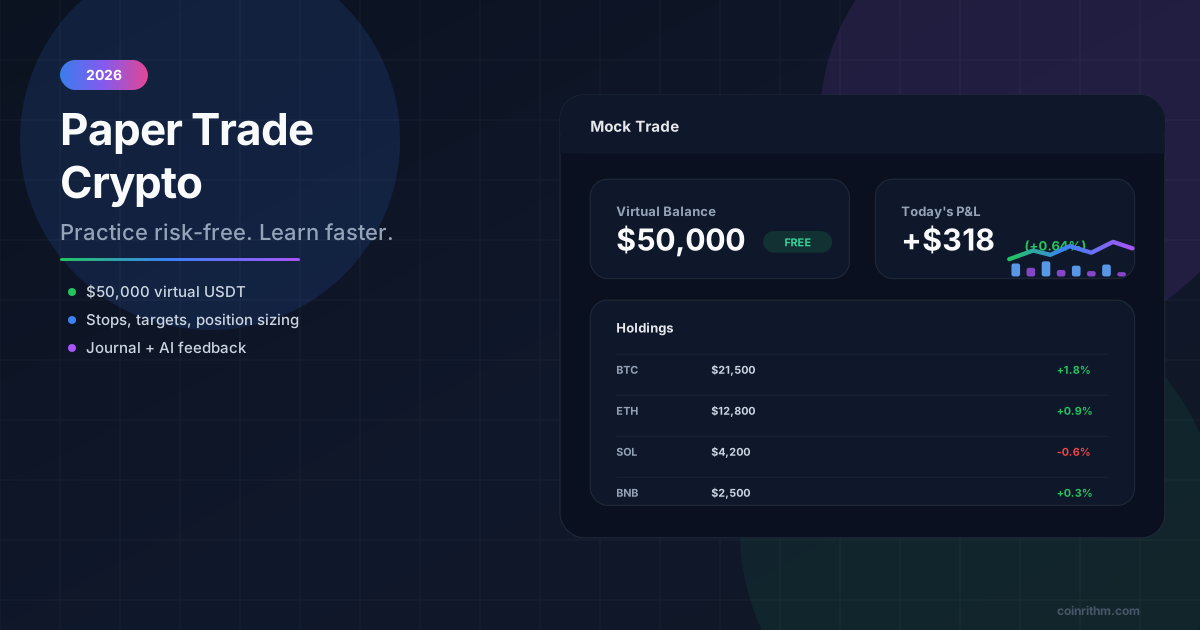
The paper trading simulator gives you 50,000 virtual USDT to practice spot trading with market, limit and stop-limit orders, plus paper futures (1x to 20x leverage) and practice positions on prediction markets. Costs are modeled: every fill includes a small fee, and market orders also pay spread and slippage, so a flat round trip shows a small loss, as it would in real trading. After you close trades, you can ask for AI feedback on your entries and exits (treat it as a second opinion; it can be wrong).
Paper results stay in the paper account, so they never mix with your real portfolio. Start with the step-by-step paper trading guide, or practice leverage with futures. If you are curious about automation, you can also let an AI agent paper trade and review its record. All trading on CoinRithm is paper trading with virtual funds: no real money moves, and paper results do not predict future returns.
Common Crypto Portfolio Tracking Mistakes
Leaving fees out of your cost basis
Fees are part of what you paid. Leave them out and every PnL figure looks better than it is, especially with small, frequent trades.
Forgetting to log sells and swaps
A position you sold disappears from your holdings, and so does its result unless you record it. A swap counts as a sale plus a purchase.
Recording transfers between your own wallets as trades
Moving coins from an exchange to your own wallet is not a sale. Log it as a transfer, adjust for the network fee, and keep the original cost basis.
Confusing deposits with gains
A bigger balance after a deposit is not performance. Measure gains against net deposits, as shown above.
Ignoring allocation drift
One strong coin can quietly grow into a quarter or more of your portfolio. Check shares, not just prices.
Mixing real holdings with paper trades
Practice results and real holdings should never share a report. Use a separate paper account for practice.
Tracking too many tiny positions
Twenty coins worth a few dollars each feel diversified, but they are hard to maintain and easy to neglect.
Handing over a seed phrase or a withdrawal-enabled key
No legitimate tracker needs your seed phrase, and none needs permission to trade or withdraw.
Checking every few minutes
Tracking should improve decisions. Constant checking pushes you toward emotional ones. If consistency is your real problem, read how gamification can improve paper trading discipline.
Frequently Asked Questions
How do I track my crypto portfolio as a beginner?
List every exchange and wallet you use, then choose one tracker, either a spreadsheet or an app. For each coin, record the quantity, purchase price, fees and where it is held. Log every sell, swap, transfer and reward as it happens. Each week, check total value, allocation, and unrealized and realized PnL, and compare your return with simply holding Bitcoin.
What is the best way to track a crypto portfolio?
The best way is the one you will keep up to date. For most beginners that is a tracker app with manual entry or a simple spreadsheet that shows holdings, average cost, allocation and PnL in one place. Frequent traders with many transactions benefit from exchange sync through read-only API keys, because typing every trade by hand becomes error-prone.
How do I track crypto portfolio performance?
Measure gains against money in: current value minus net deposits, where net deposits are everything you put in minus everything you took out. Add realized and unrealized PnL for your total result. Then compare it with simply holding Bitcoin over the same period. Recording total value, net deposits and realized PnL once a month gives you a reliable history.
What is cost basis in crypto?
Cost basis is what you paid to acquire a coin, including fees and commissions. The IRS defines it the same way for virtual currency. If you bought the same coin several times, your average cost is the total you spent divided by the coins you hold. You need your cost basis to calculate profit or loss, both while you hold and when you sell.
What is the difference between realized and unrealized PnL?
Unrealized PnL is the paper gain or loss on coins you still hold: their current value minus their cost basis. It changes with every price move. Realized PnL is the gain or loss you locked in by selling or swapping: what you received after fees minus the cost basis of the coins sold. Your total PnL is the two added together.
Can I track crypto from several exchanges and wallets in one place?
Yes, that is the main reason to use a tracker. You can enter holdings from every exchange and wallet by hand, connect exchanges with read-only API keys, or add public wallet addresses to apps that support them. CoinRithm's portfolio uses manual entry: you can create one portfolio per exchange or per goal and see the totals across all of them.
Is it safe to connect my exchange to a portfolio tracker?
It can be, if the API key is read-only. When you create the key on your exchange, enable only read or query permissions and never trading or withdrawals. Never share a seed phrase or private key with any tracker, because whoever holds them controls your funds. If you prefer not to share any keys at all, use manual entry instead.
Should I track my crypto portfolio manually or automatically?
Manual tracking suits beginners and long-term holders: it is simple, works with any exchange or wallet, and needs no API keys. Automatic sync suits frequent traders because it imports trades for you, although imports can be incomplete and should be checked. Many people start manually and switch to sync once typing trades becomes the reason they stop tracking.
How often should I check my crypto portfolio?
For most beginners, a weekly review is enough: update your transactions, check allocation, and look at your winners and losers. Add a monthly snapshot of total value, net deposits and realized PnL to measure performance. Checking every few minutes adds stress without adding information, and it tends to push you toward emotional, short-term decisions.
Is portfolio tracking the same as paper trading?
No. Portfolio tracking records the crypto you actually own and how it performs. Paper trading lets you practice buying and selling with virtual money, so mistakes cost nothing. Keep them separate: on CoinRithm, the portfolio holds the real holdings you enter by hand, while the paper trading simulator gives you a 50,000 virtual USDT balance for practice.
Conclusion
Tracking a crypto portfolio is how you stay honest about what you own, what you paid and how much risk you carry. The six steps come down to one habit: record everything, fees included, and look at the whole portfolio once a week instead of reacting coin by coin.
To put it into practice, track your holdings in the CoinRithm portfolio, keep coins you are only considering on a watchlist, and rehearse trades in the paper trading simulator before you risk anything. To research what to hold, read fundamental vs technical analysis in crypto, browse live crypto prices, and follow CoinRithm Crypto News for events that affect your coins.